

Working on World Lab projects
World Lab's Discord
The World Lab Discord serves as the primary social center for World Lab projects. Ask the individual who interviewed you for an invite to it.
World Lab's cycle
In the Discord, teams work together on projects in a year-round cycle. Teams start projects, work on them, and finish them syncing to test each other's projects, give feedback, etc.
These cycles are designed for teams to join in, all in while the cycle is still ongoing. Imagine a year-round game jam you can join anytime and finish at the end of any month.
Cycle overview
Cycle starts: 1 week after the last cycle ends
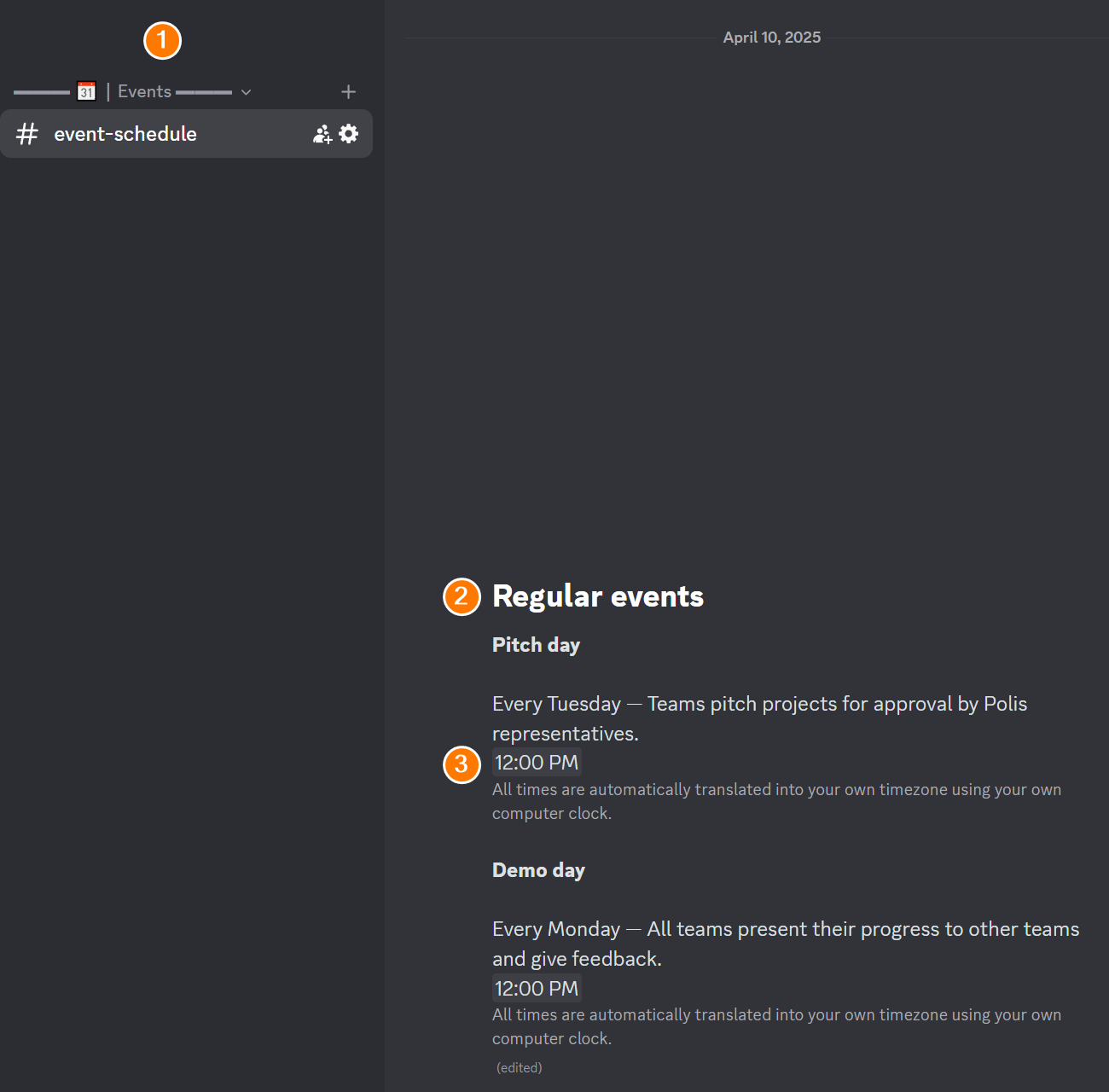
Pitch day: Every Tuesday — Teams pitch projects for approval by Polis representatives
Demo day: Every Monday — All teams present their progress to other teams and give feedback
Cycle ends: Last Thursday of the month — Only teams which have worked more than 49 days on their project submit. All others work until the next cycle deadline.
Times (3) are listed in #event-schedule (1) in Discord:
This on-going rotational cycle allows teams to join in at any point in the cycle without waiting.
Most US and major foreign holidays are skipped, events pushed to the next "business" day which does not have another even on-going.
Participating in World Lab
As you read these documents, you will take a series of actions following a definite preset path. This is your map for all major steps in that path.
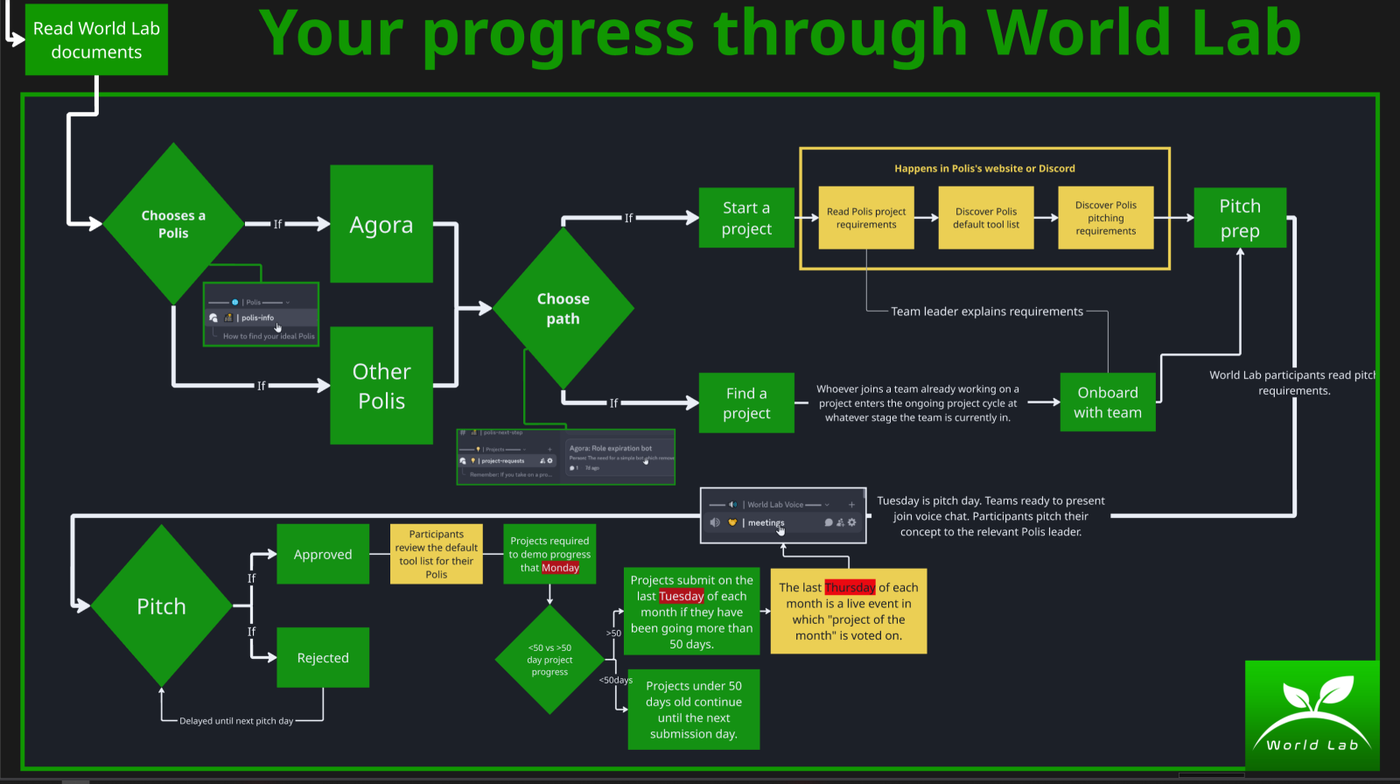
Note: This graphic may go out of date as minor updates take place but this article will be updated with relevant changes.
1. Choosing a Polis
A Polis may be a community, non profit or for-profit company that uses Boundless Synapse. If you are in the 60-day Initial Contribution Phase you may complete any World Lab project to be drafted as a Boundless volunteer.
Each Polis has a mission and vision, by participating in that Polis's mission you integrate with it's ethos, and you create a road to "citizenship" within that Polis.
Poleis are vetted by Boundless but Boundless does not run most Poleis. This means you need to carefully consider where you invest your time. Consider the following:
Do I align with the Polis's mission?
Is it a for-profit, non profit or an unregistered community?
Is it democratic?
Would being a "citizen" place me in a community where I will thrive?
Polis decision: Action required
It's time to read about the available Poleis options and pick one. You can always chance your mind so set your self a maximum of 30 minutes to choose one.
Do not move on without following those instructions:
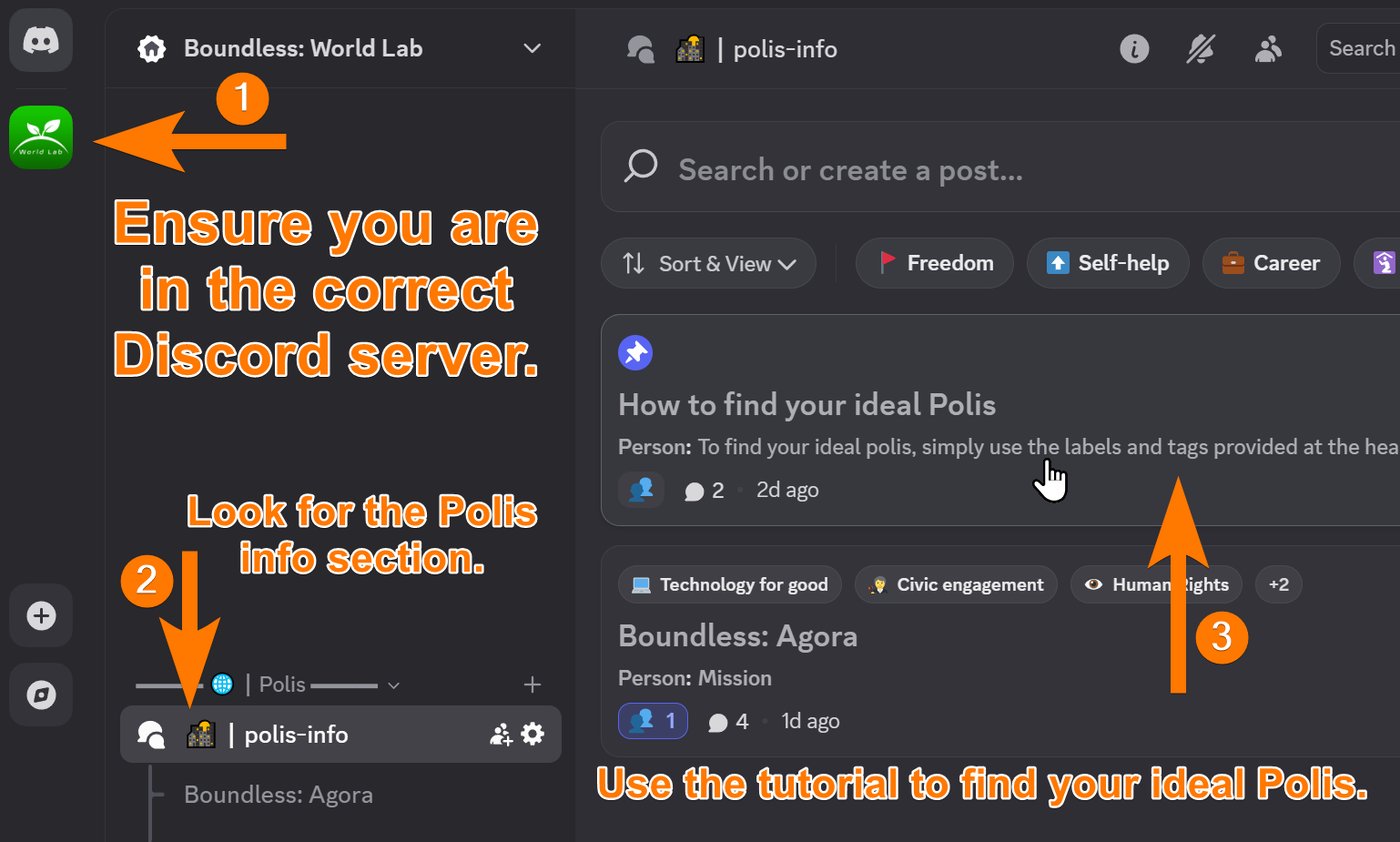
(1) Ensure you are in the World Lab discord server
(2) Look for the 🌇┃polis-info section
(3) Click on the pinned topic to reveal a tutorial.
Whenever you open a new forum section, get in the habit of reading the sticky post denoted by the pushpin 📌 symbol.
Follow the instructions in the Polis description in the Polis you choose to open up the next step.
Have you read through the different Poleis and followed the included instructions to "select" it? In case you missed the instructions, you will find them under:
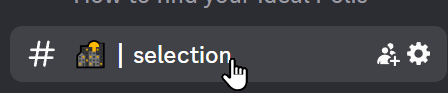
2. Finding your team
Time limit
Now that you've chosen your Polis, a 75-day timer has started. This is a security feature, however, it is also a reminder to set reasonable deadlines projects as the intention is to finish with World Lab projects in 20 to 60 days.
Choosing a path
Now that you have found a Polis that you believe will connect with your values, you need to decide whether to start a new project dedicated to the ethos of that Polis or to join a team already working on one.
Making your own team automatically grants you team leadership and is the ideal path for becoming a project manager, lead game designer, or other leading role.
Opting to be a team leader shows initiative and a desire for responsibility and factors into your placement after your final application to join Boundless as a volunteer.
Being a team leader grants you say in key decisions and allows you to have more control over what you work on but requires discipline and initiative.
Make a decision and then open the relevant panel:
Building your own team
Understanding 💡┃project-requests
Normally, every team has to pitch their idea to the Polis representatives in question if they want to start working on a project.
Project requests allows you to find pre-approved projects, but there's no guarantee that your Polis will have pre-approved projects available.
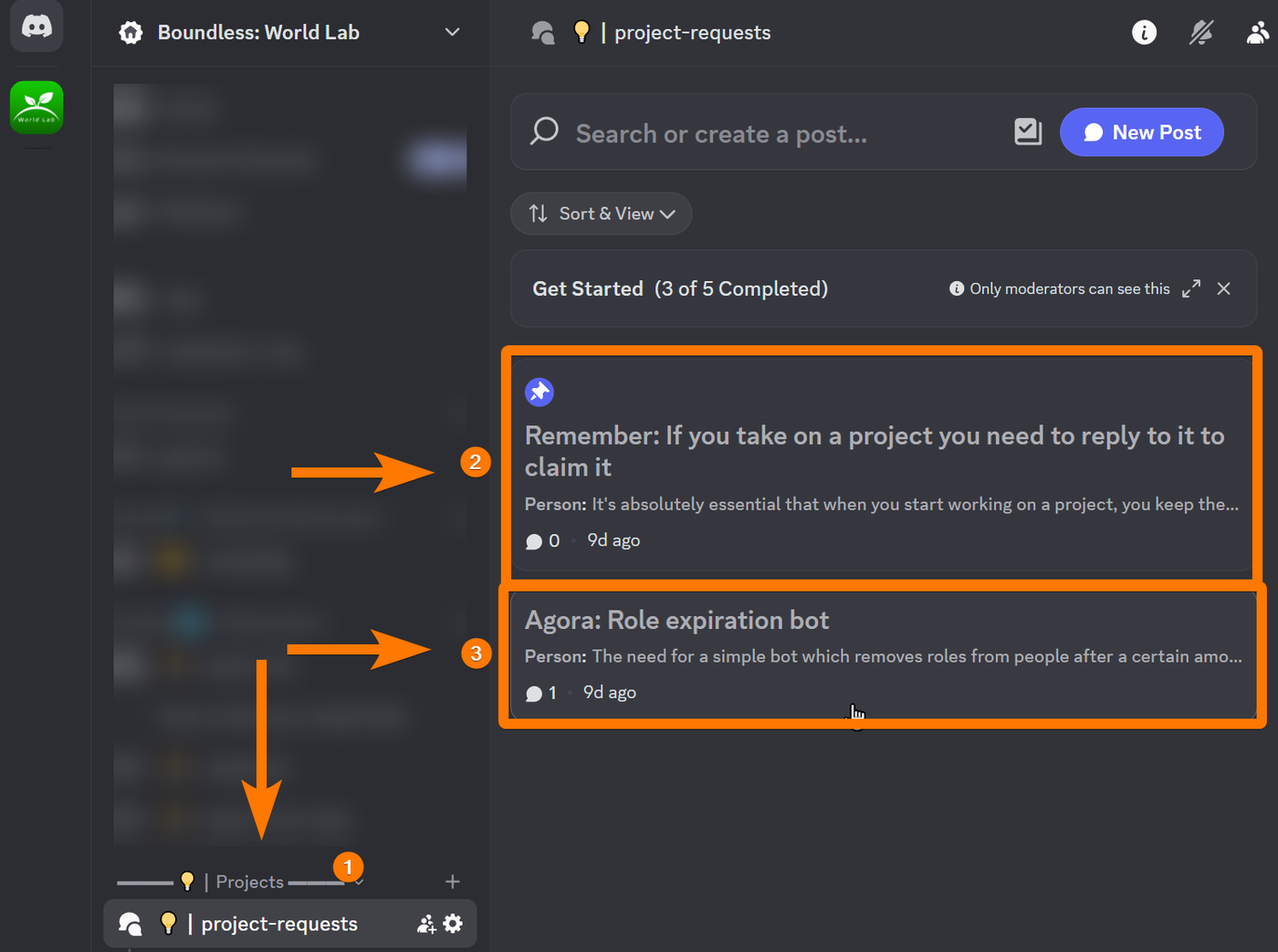
(1) Visit 💡┃project-requests
(2) Always read the pinned message first
(3) Look for projects with the name of your Polis in the title.
Pitching requirements
If you found a project related to your Polis, you can skip this step.
Each polis sets the requirements you must meet to pass the pitching phase.
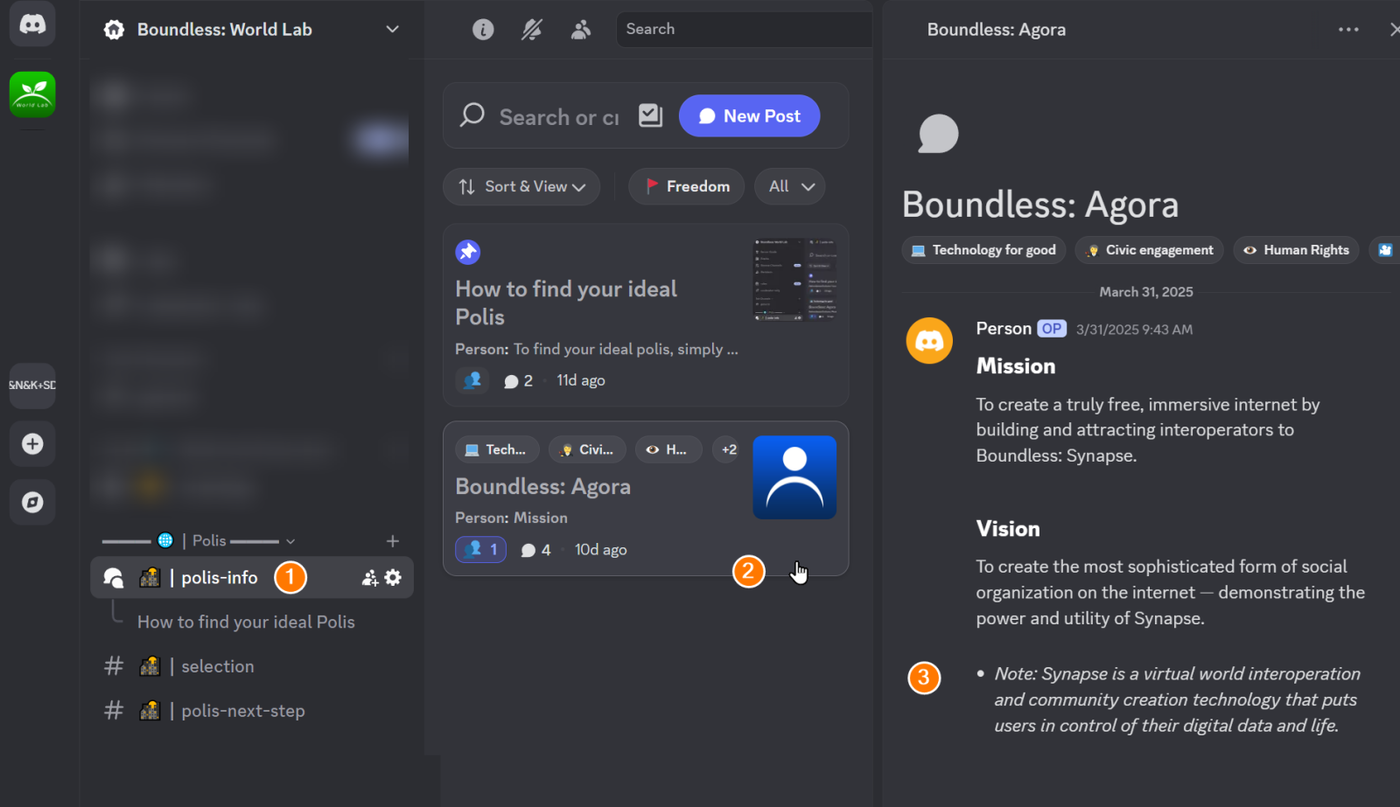
(1) Visit 🌇┃polis-info
(2) Find your Polis
(3) Visit the relevant description and look for pitching requirements.
When to pitch
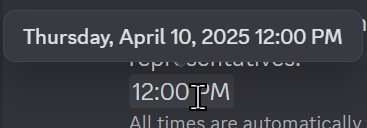
Pitches always take place at a preset day/time. Visit the #event-schedule in Discord to see the times.
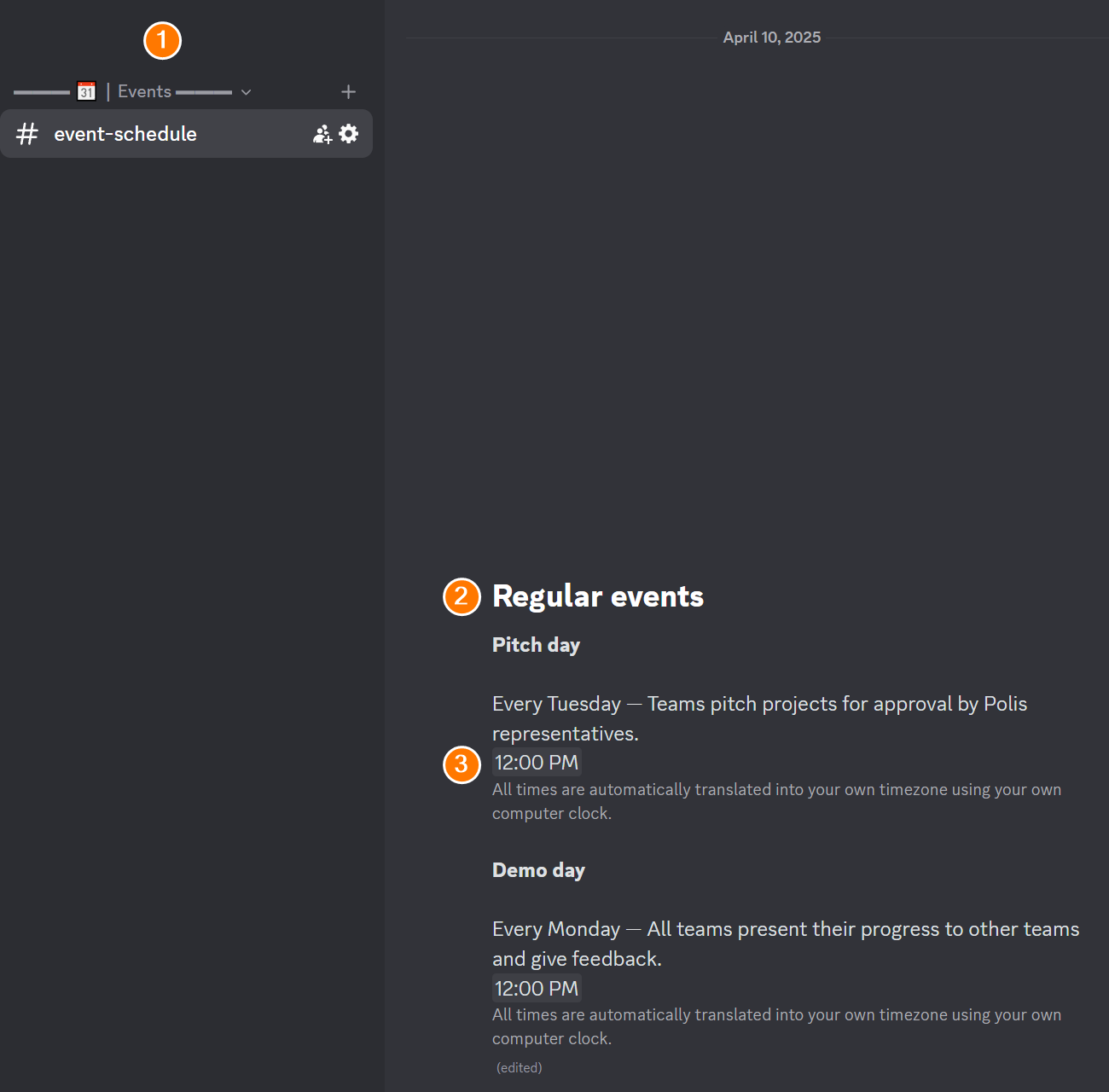
Times are automatically shown in your time zone—no need to convert from GMT or others. Hover over the timestamp to see the exact day and time in your time zone.
Where to pitch
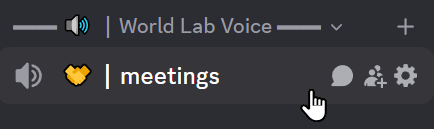
Come to 🔉 🤝┃meetings on the day/time mentioned.
Finding teammates
Before you start on your project request or prepare your pitch you should begin to build a team. Start by visiting:
👥┃teams-seeking-members
Press Ctrl+K (or Command+K on Mac) to open Discord’s quick search. Type anything to find relevant channels or content.
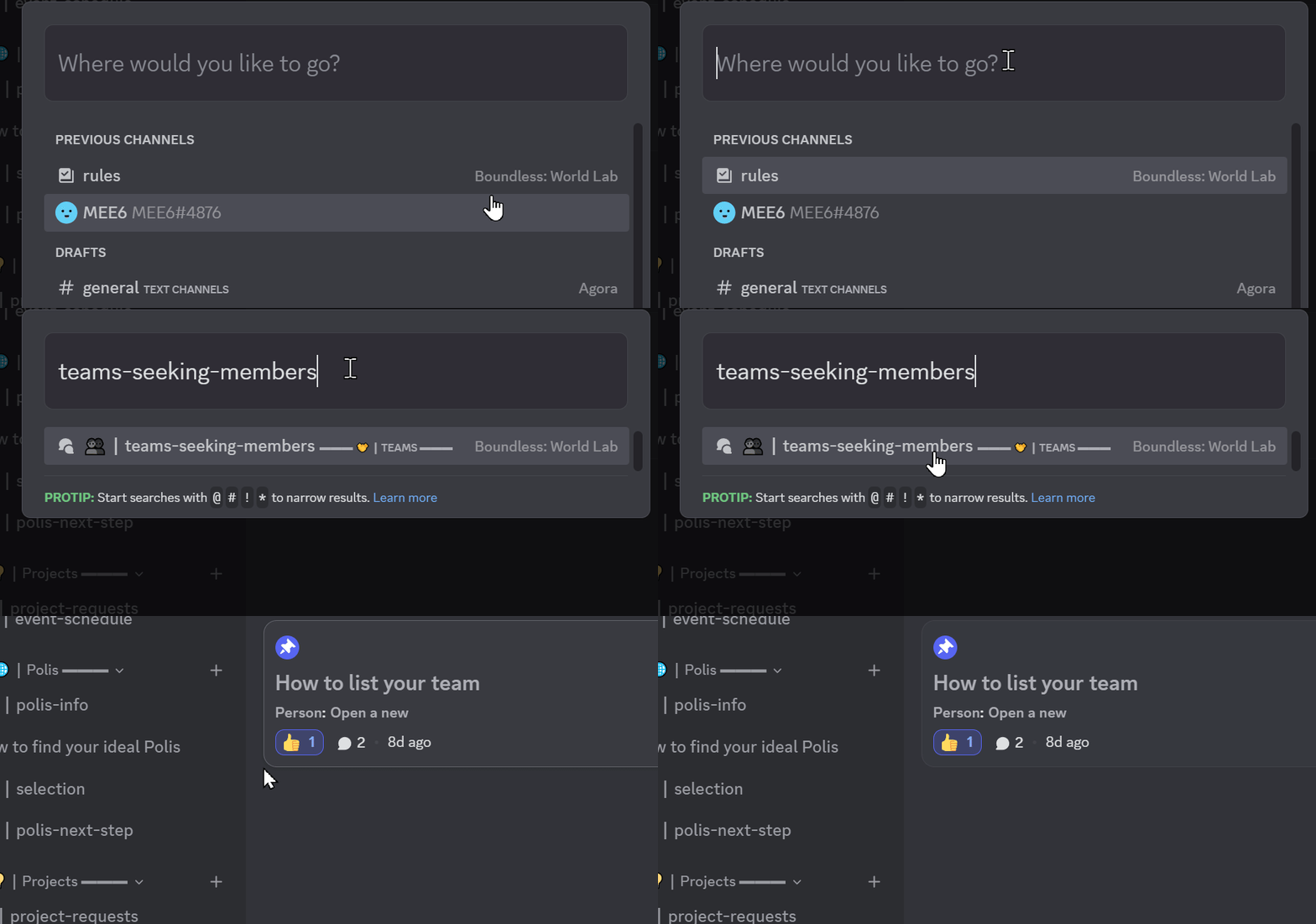
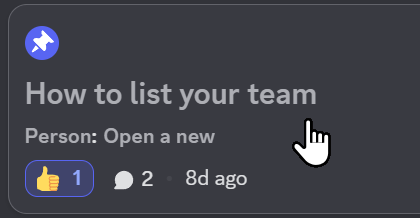
As usual, click the pinned post and follow the instructions.
Use the prior pitching instructions and the idea that you conceived during that time to pitch a convincing project to everyone on the server.
Ensuring others find your team
Forums in Discord have their posts listed at the top by how active the replies in that post are. So you want to be incredibly active in your thread, responding to interested parties quickly.
You can also continually post updates on your pitch, your slides, and your team's progress. Make a habit of having new team members do the same.
Tools
Your team will need to use project management software and other software to create the project. Each Polis will have their default software list next to their pitch requirements.
Actual pitch
Once you have prepared your presentation, simply show up at the next pitch day in the relevant meetings channel or have one of your team members do the same and pitch your idea.
Meeting daily
In the voice channels you will find a 🔉🆕┃generate-new channel. Click on it to create a new channel:
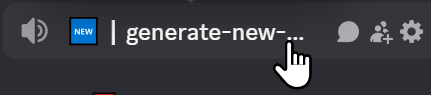
Give it a moment as this process can take a few seconds, but if it works it should generate a new voice channel and put you in it and make you the owner of the channel.
Whoever is online first on your team should do this right away.
As we've seen with the return to office mandates around the world, people do their best work when they're able to communicate freely and immediately with teammates. By mandating everyone in Boundless to be in a voice channel when they work on their project, we create an office environment without needing a physical location.
Since it's incredibly counterintuitive for people to come to a voice channel every day, you will need to remind your team to do this constantly. People will have the tendency to log off at the end of a conversation, but actually sharing your screen and working together live is critical for the office-like environment.
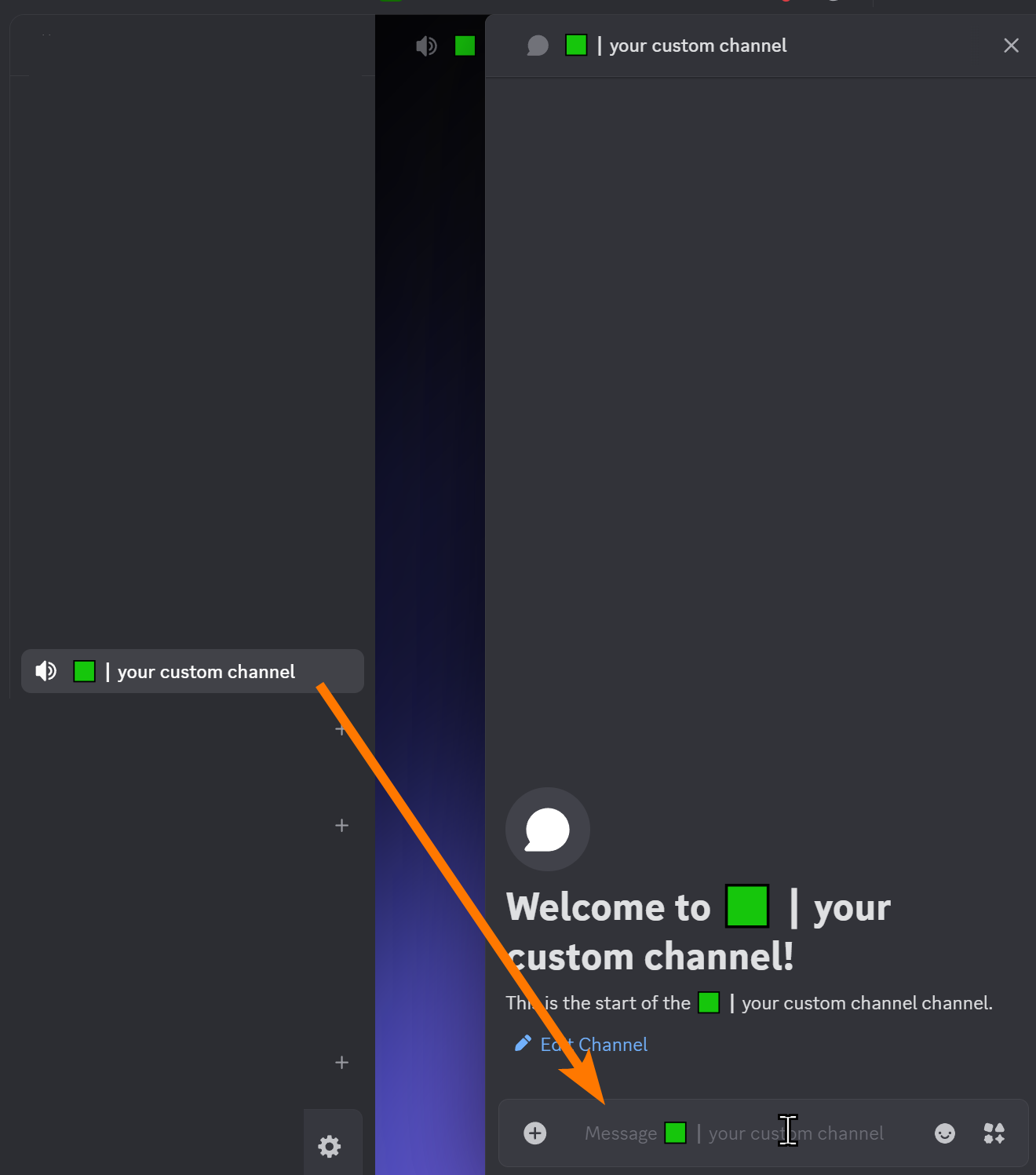
Every voice channel has an associated text channel:
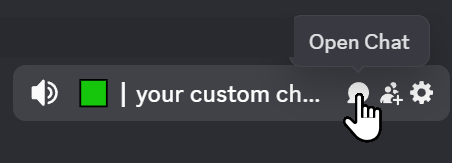
Use this text channel for your day-to-day team communication.
You may rename your channel by typing this command in your chat:
/voice-rename yourchannelname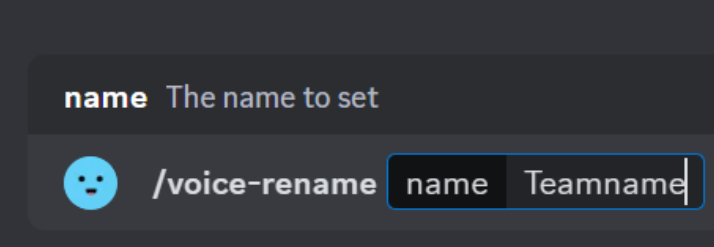
If you do not have someone from your team re-enter the channel every 24 hours, the channel will automatically be deleted. This is a limitation of the system we use, so be sure to schedule someone to pop in on a regular basis.
Submission requirements
Every World Lab project has specific requirements that must be met to submit. Read those now, then continue.
Finding an already-established team
Advertising your availability
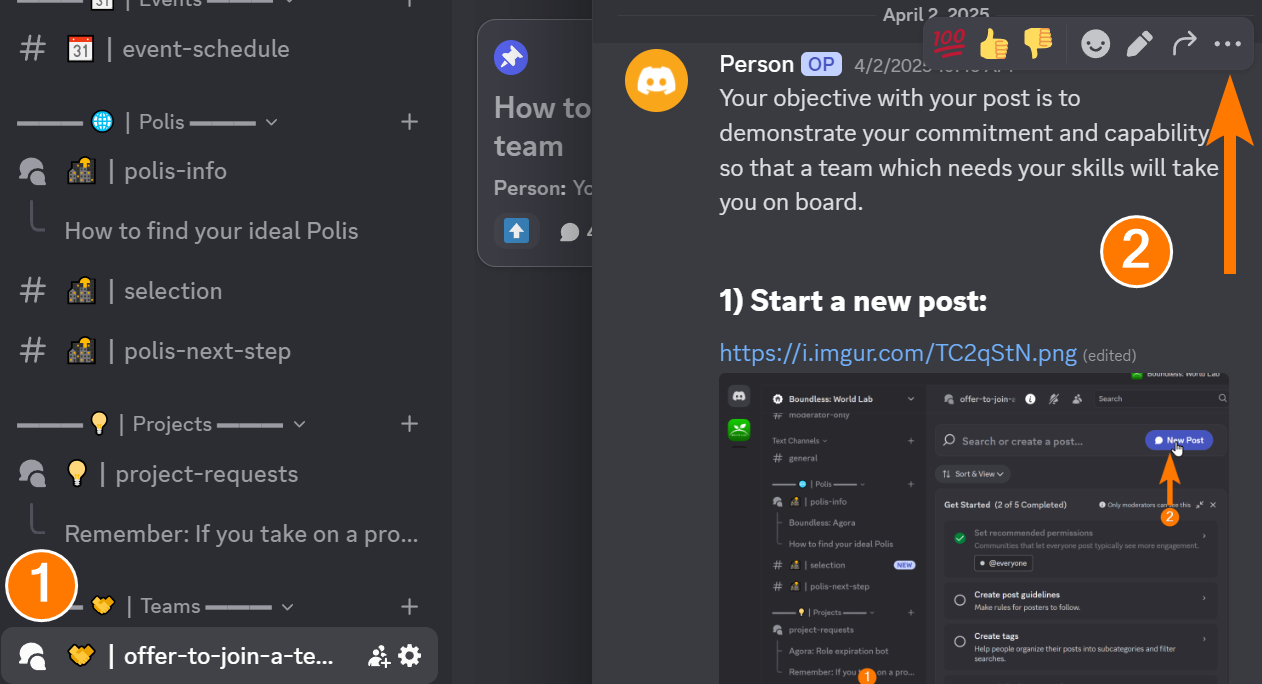
After having followed the instructions in the relevant Polis, you will see a Teams category:
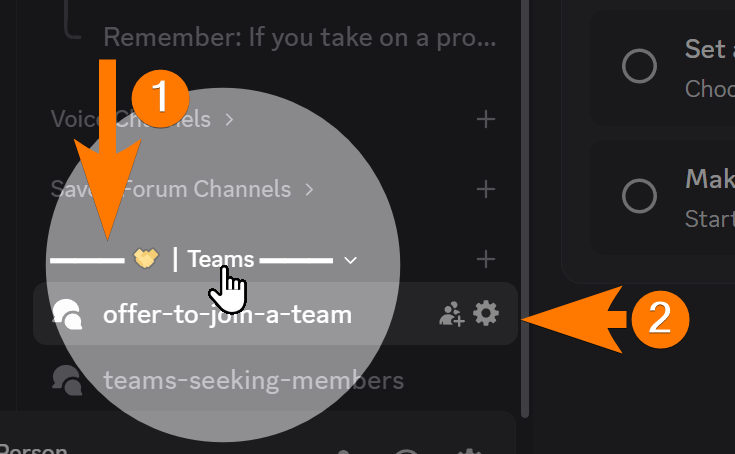
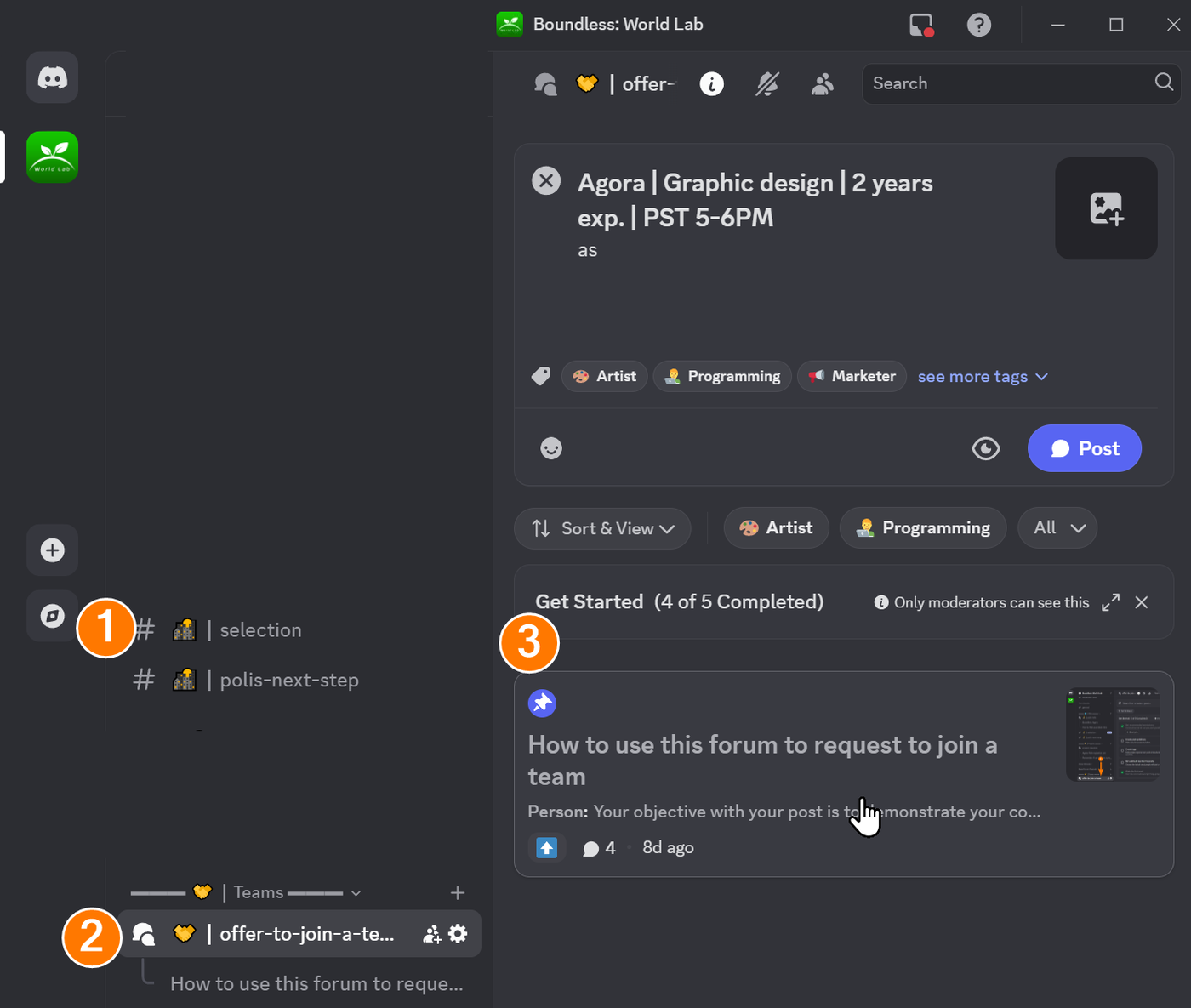
Read the Sticky post 📌and follow the instructions to create a post appealing to join a team.
Finding a relevant team
Now that you've advertised your availability, check for team advertisements to find one you can join.
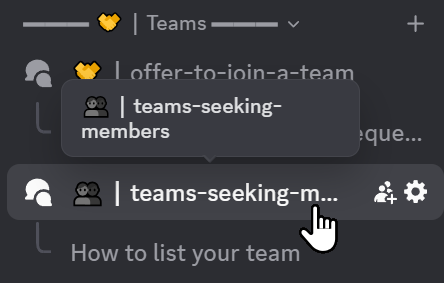
Each forum can only have one sticky post, and this one is for teaching people how to post their team. So, we’ll explain here how to join a team.
(1) Click on 👥┃teams-seeking-members
(2) Find the most relevant tag related to your skill, keep in mind that these are broad categories
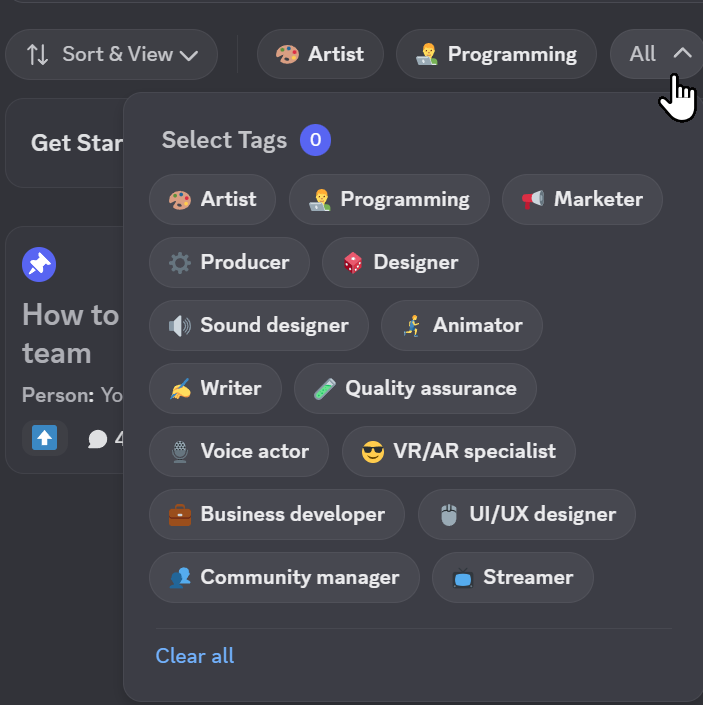
(3) Click on the ads that pop up that relate to teams in your Polis and relating to your skill set. Keep in mind that the top listed ad is also from the team that is the most active.
(4) Follow the instructions included in the post to apply for the team.
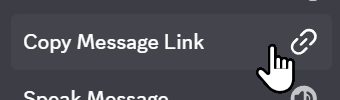
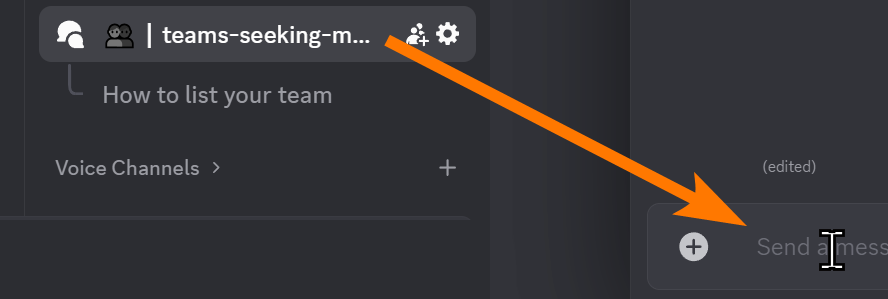
Optional: Remember your earlier advertisement to join a team? You can copy the link to the link to that post and include it in your reply in order to bolster your chances of getting the opportunity to join the team.
What to do if you can't find a team?
If you can't find a team related to your Polis start looking at teams not related to your chosen Polis.
If no relevant team ads have been updated in the past week, close this collapsible section and go back to the "Building your own team" section to make your own.
Keep in mind that the time is counting down, so you'll need to make a decision right away to start a team if no team is available.
Before you go through that process, tag the person who gave you the initial interview in general chat and ask for help.
Definitions
Polis: An autonomous digital society connected to Synapse.
Content: Virtual worlds, social networks or applications.